Zero-cost print in Oracle APEX: HTML and CSS only
Many small applications need one or two simple print templates: an invoice, a receipt, or a short report. Buying extra reporting tools or PDF-generation licenses is often hard to justify for such a limited need. This post shows how you can get a page that prints (and "Save as PDF") using only HTML you generate, a PL/SQL Dynamic Content region, and CSS — no extra licenses and no libraries.
This post is meant as inspiration: the steps and the example below are a pattern you can reuse for any print template you need. Use it as a starting point and adapt it to your own documents.
The three pieces of the solution
1. HTML
Build the document server-side (e.g. in PL/SQL) as a single container — for example a div with a class like invoice-doc — and give it a clear structure: title, metadata, parties, table of lines, totals, notes. You can design or draft this HTML with AI: ask it to "generate a simple invoice HTML with From/To, a lines table, and totals," then adapt the markup and plug in your real data in PL/SQL. You keep full control and there is no need to be a designer.
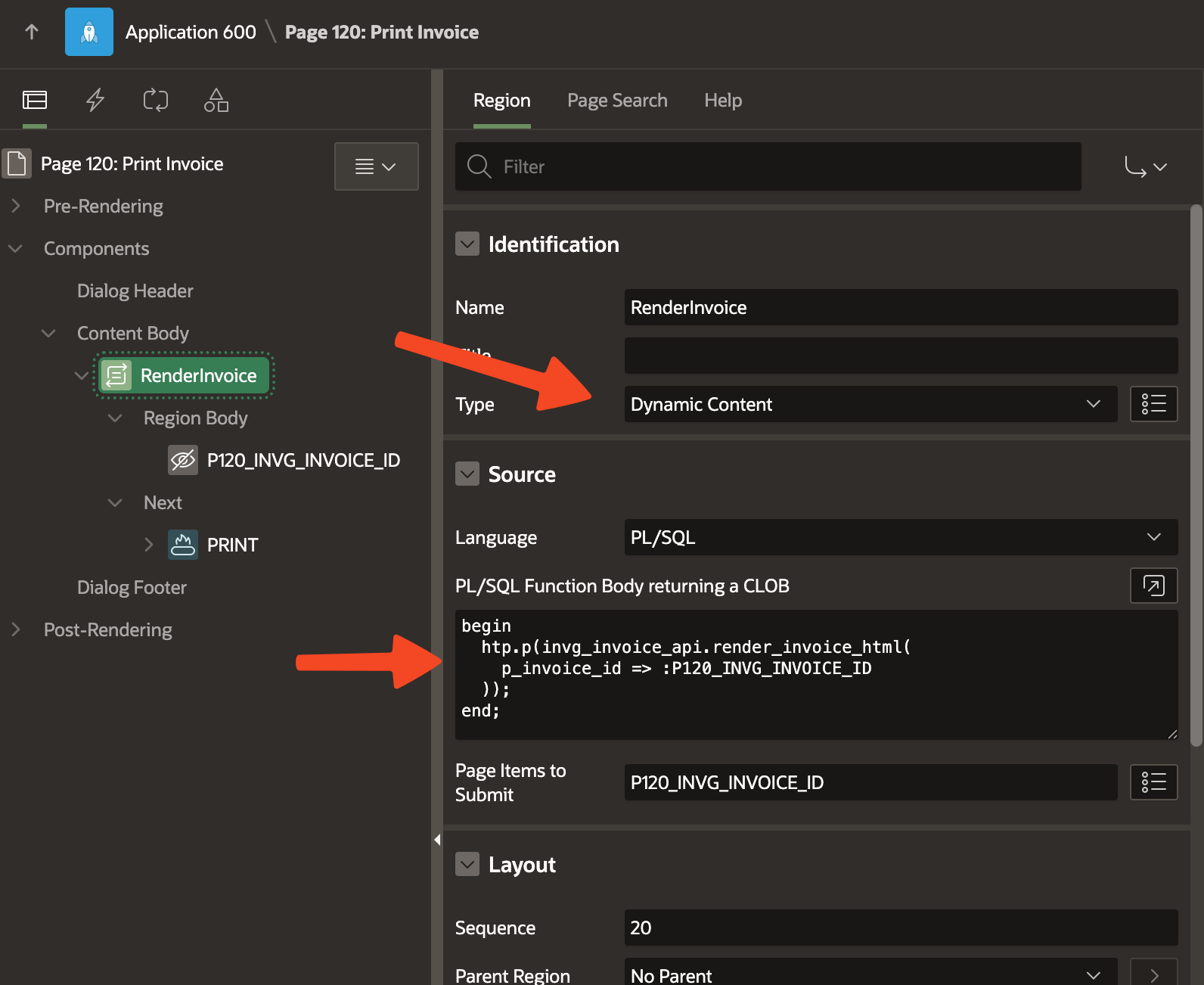
2. Dynamic region
Use one region of type PL/SQL Dynamic Content. It calls a function (or block) that returns your HTML; the region outputs it so the page renders the HTML. The region has no title or uses a minimal template so the page is just your document plus a Print button.
3. CSS
Use one CSS block (or file) with two roles:
Layout: Styles for the document container (max-width, font, spacing, tables) so it looks good on screen.
Print: A
@media printblock that hides everything on the page, then shows only your document container and its children. The browser print dialog then sees a clean page with no APEX chrome (header, nav, modal frame, buttons). Users can print or choose "Save as PDF" from the browser.
Minimal example
PL/SQL: return a tiny document
Build a small HTML fragment and return it in your Dynamic Content region so the page displays it as HTML:
declare
  l_html clob;
begin
  l_html := '<div class="invoice-doc">'
         || '<h1>Invoice</h1>'
         || '<p><strong>Number: 2026-001</strong></p>'
         || '<p>Total: $100.00</p>'
         || '</div>';
  -- In the PL/SQL Dynamic Content region, output l_html so the page renders it as HTML.
end;
/
The complete PL/SQL example (function, region source, and full document structure) is in the repository: invg_invoice_api.pks and invg_invoice_api.pkb.
CSS: layout + print
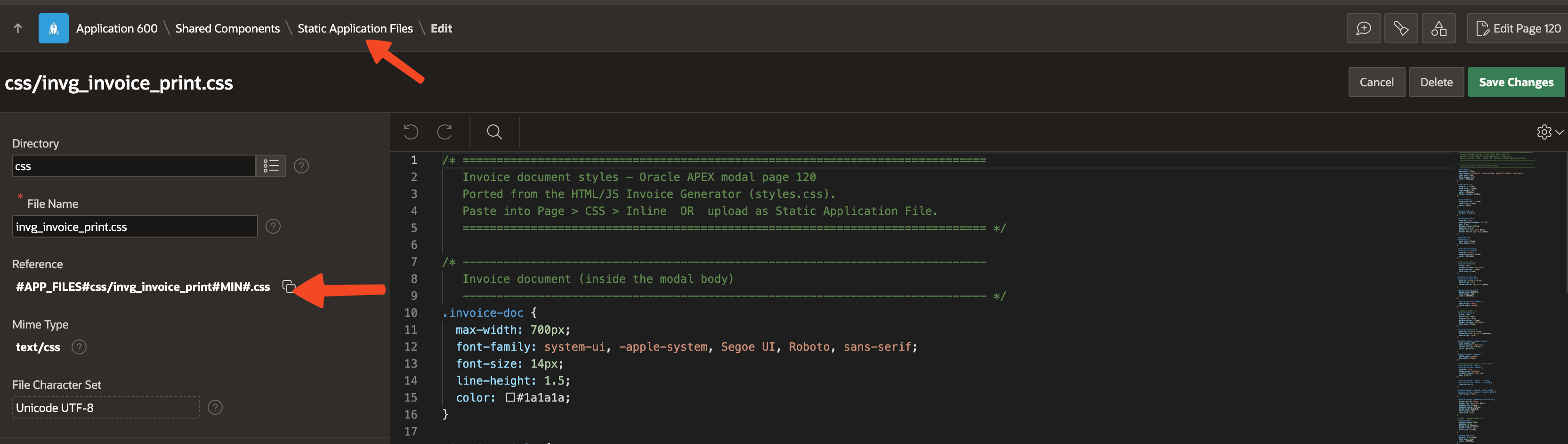
The print CSS gives the document layout on screen and a @media print block that hides the rest of the page and shows only your document container, so the browser print dialog sees a clean page.
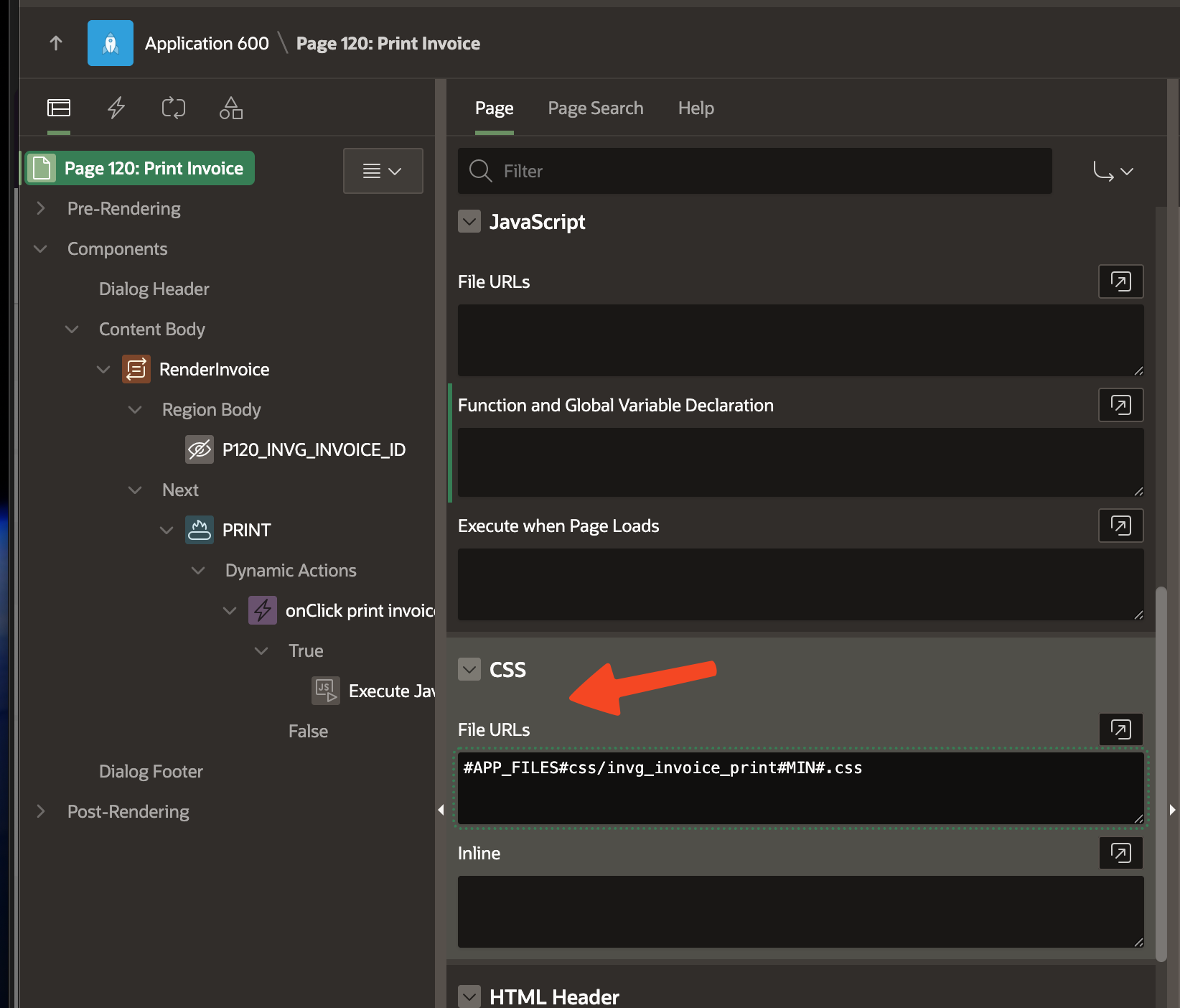
Import into APEX: add the CSS to your application (e.g. upload as a Static Application File or paste into Page > CSS > Inline) and reference it on the page so it loads for the print preview.
Full file: invg_invoice_print.css.
JavaScript: trigger print
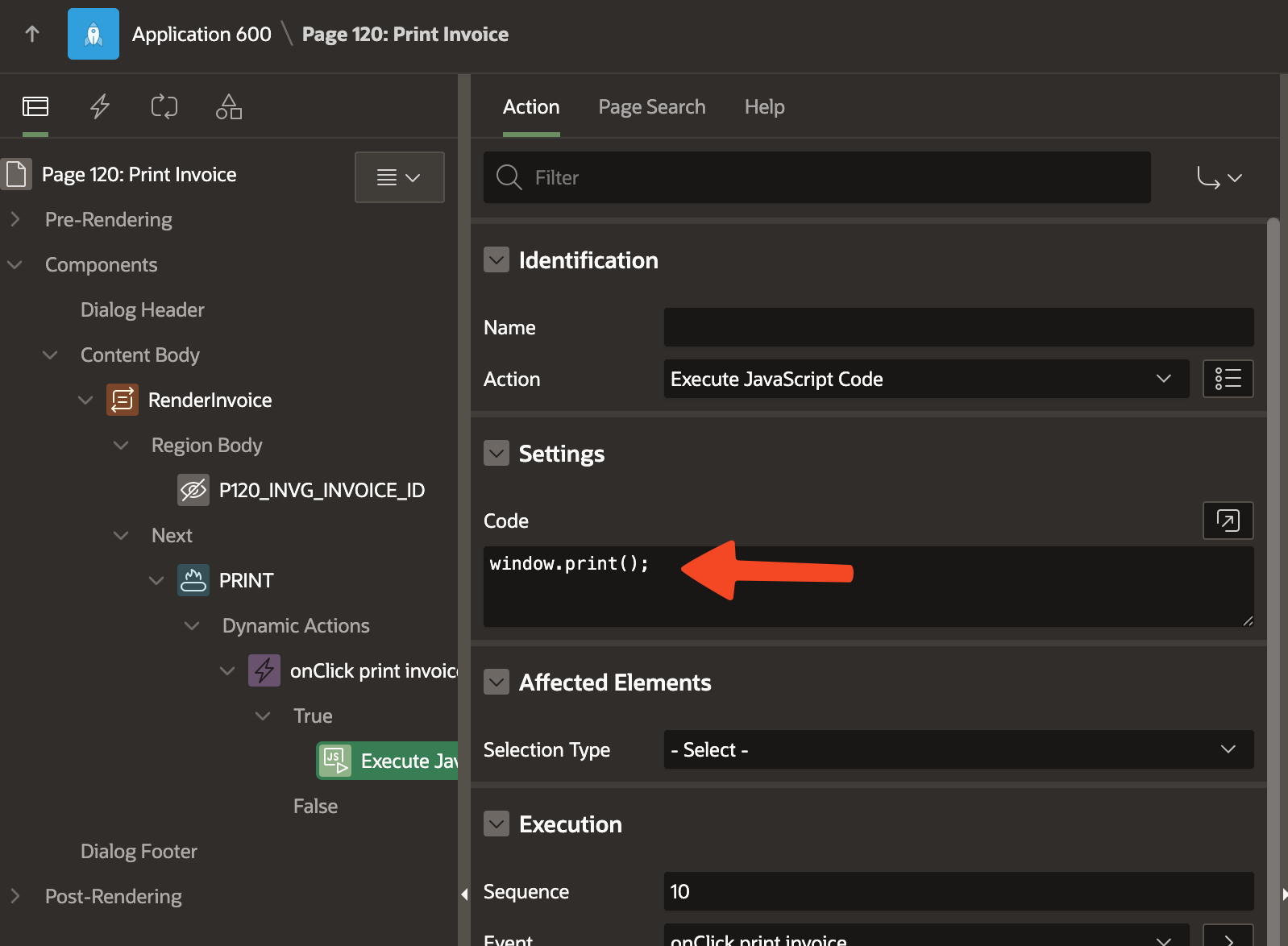
Add a button (e.g. in the dialog footer) with a Dynamic Action that runs:
function invgPrintInvoice() {
  window.print();
}
Use a class like no-print on the button and hide it in @media print if you do not want it on the printed page.
Full example and app
All code for this post is in the repository: 5_easy_print_custom_html (package spec and body, CSS, and images). The full application will be shared later in a separate post.
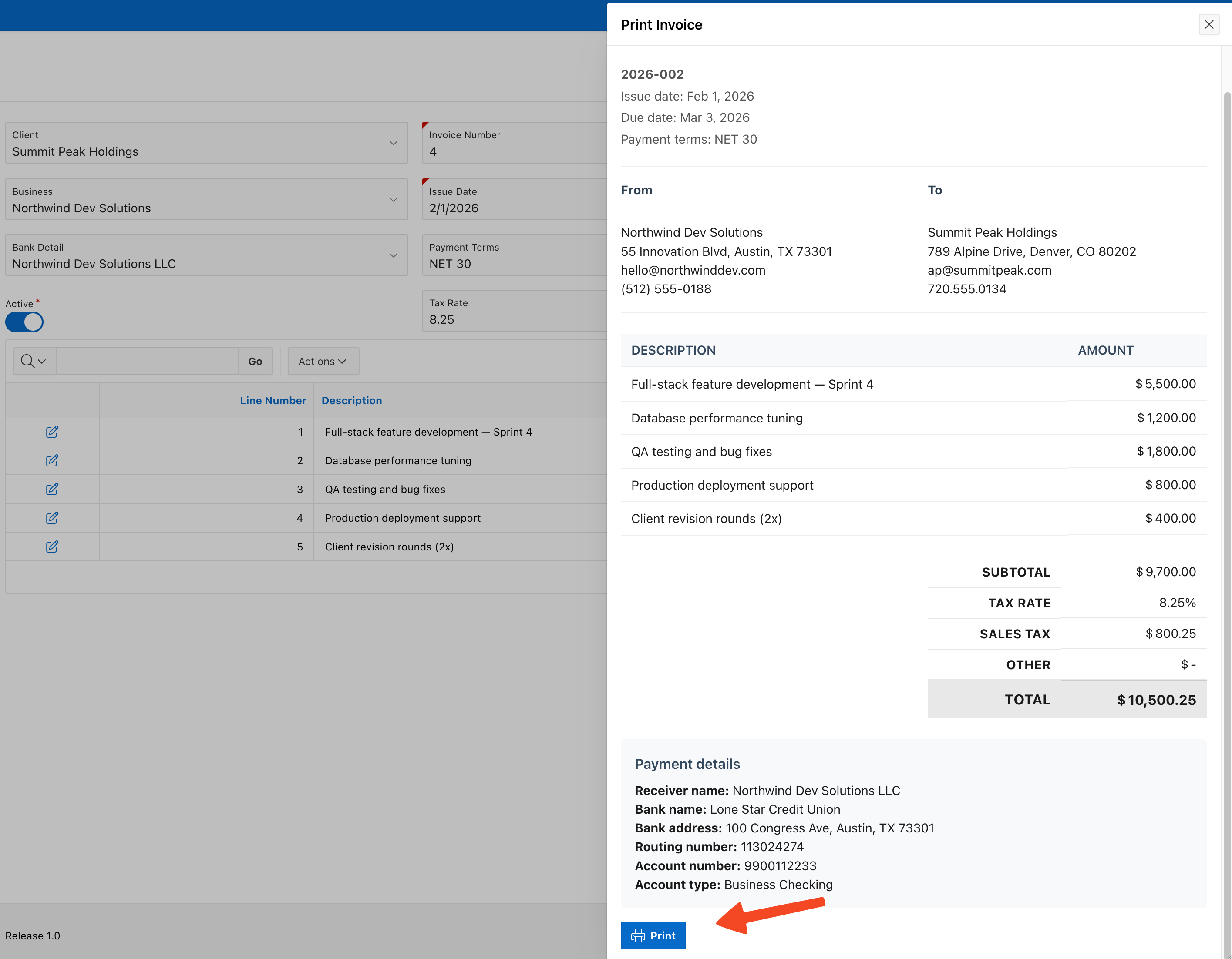
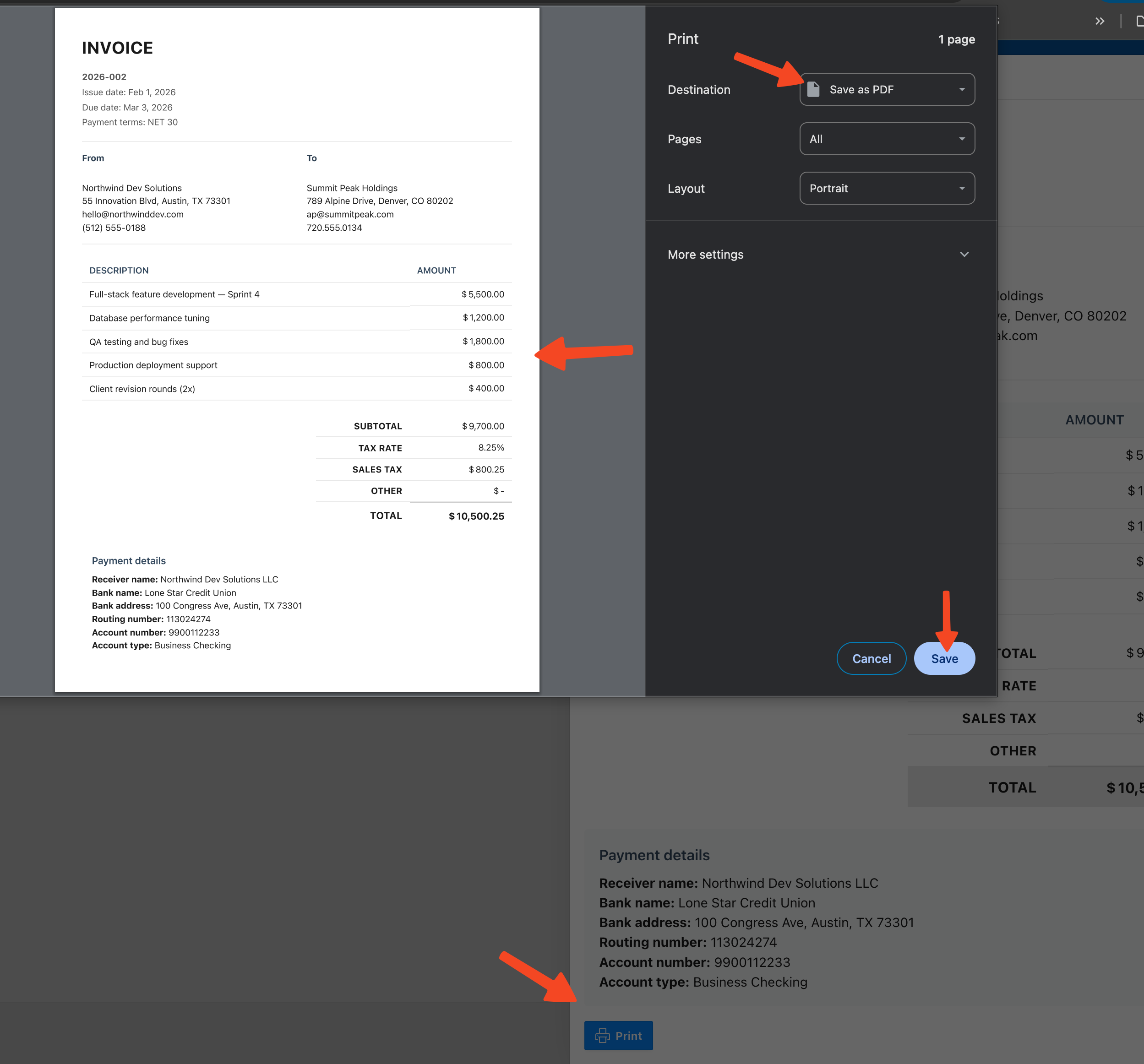
Why this approach
No extra licensing — You use only Oracle APEX and the browser. No reporting server or PDF library required.
Save as PDF is built in — Users can choose "Save as PDF" or "Print to PDF" from the browser’s print dialog.
You own the template — The HTML and CSS are yours; you can change the layout or reuse the pattern for any document (receipt, report, delivery note, quote).
AI can help — You can use AI to draft the initial HTML structure (e.g. invoice layout, table markup), then wire it to your data in PL/SQL and adjust the styles as needed.
With a small amount of HTML, one dynamic region, and a focused print CSS, you can have print-ready pages at zero cost.
#oracle-apex #apex #apexworld #apex-tips #oracle #orclapex #printing #pdf
