Oracle APEX Invoice Generator: Simple Invoicing for Small Teams and Projects

Invoicing should not be complicated. You did the work, now you need a document with your details, the client's details, the services you provided, and a total. That is it.
The Oracle APEX Invoice Generator is an open-source application designed to make that process as simple as possible. Register your business and your clients once, then creating an invoice is just a few clicks: pick the client, pick your business, add service lines, done. Preview it, print it, or save it as PDF straight from the browser.
It is built entirely in Oracle APEX — no external tools or extra licenses required. If you want to understand the printing technique behind it (HTML + CSS + window.print()), the companion post Zero-cost print in Oracle APEX: HTML and CSS only covers that in detail. This post focuses on the application itself — the data model, the API, and the user experience.
How it works
The idea is: set up your data once, then reuse it on every invoice.
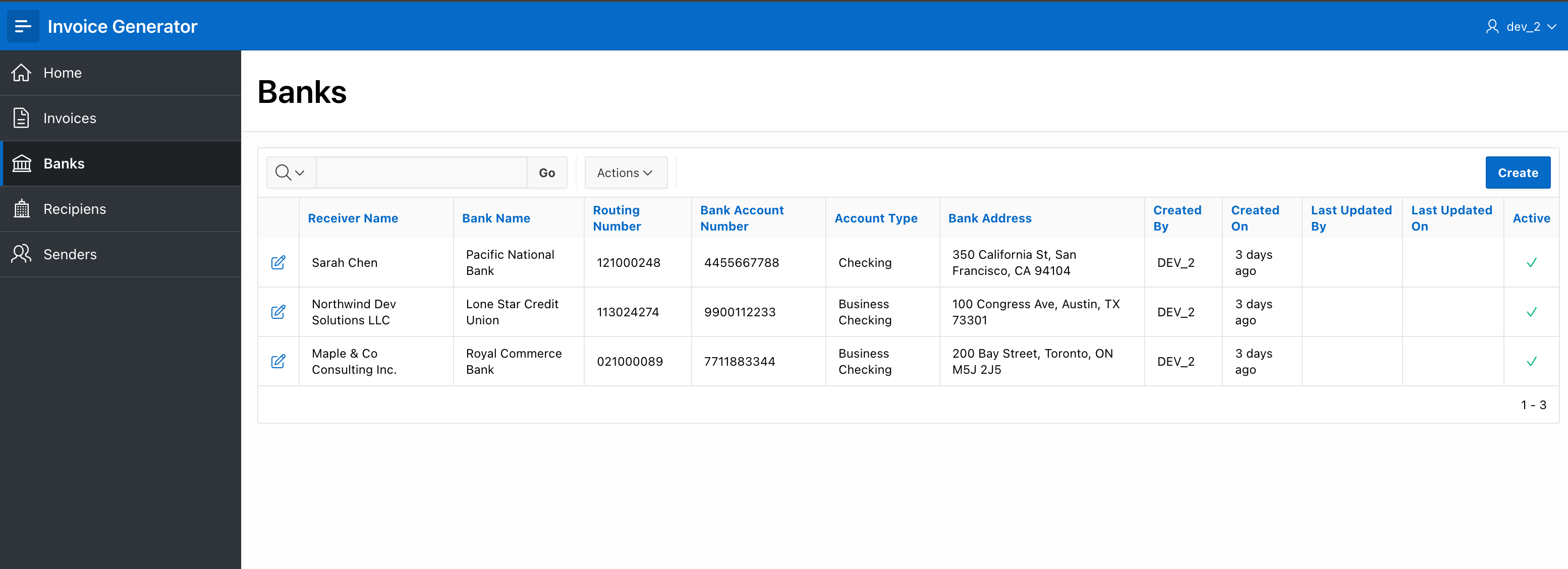
Lookup tables — you register your businesses (name, address, email, phone), your clients, and your bank/payment details. These are filled once and selected from dropdowns when you create an invoice.
Invoices — pick a client, a business, optionally a bank account, set the issue date, payment terms, tax rate, and any notes. Then add service lines — each with a description and an amount. The app calculates subtotal, tax, and total automatically.
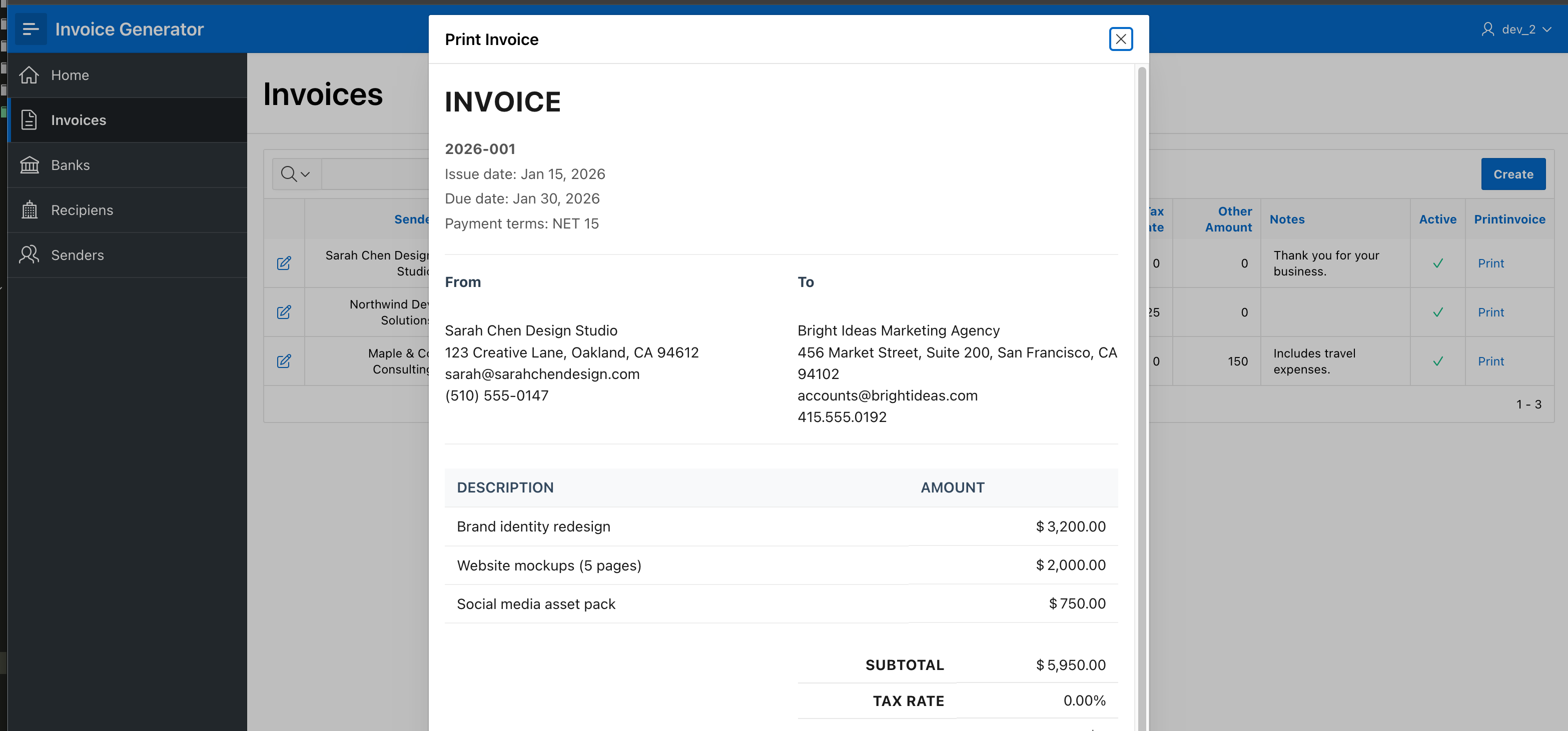
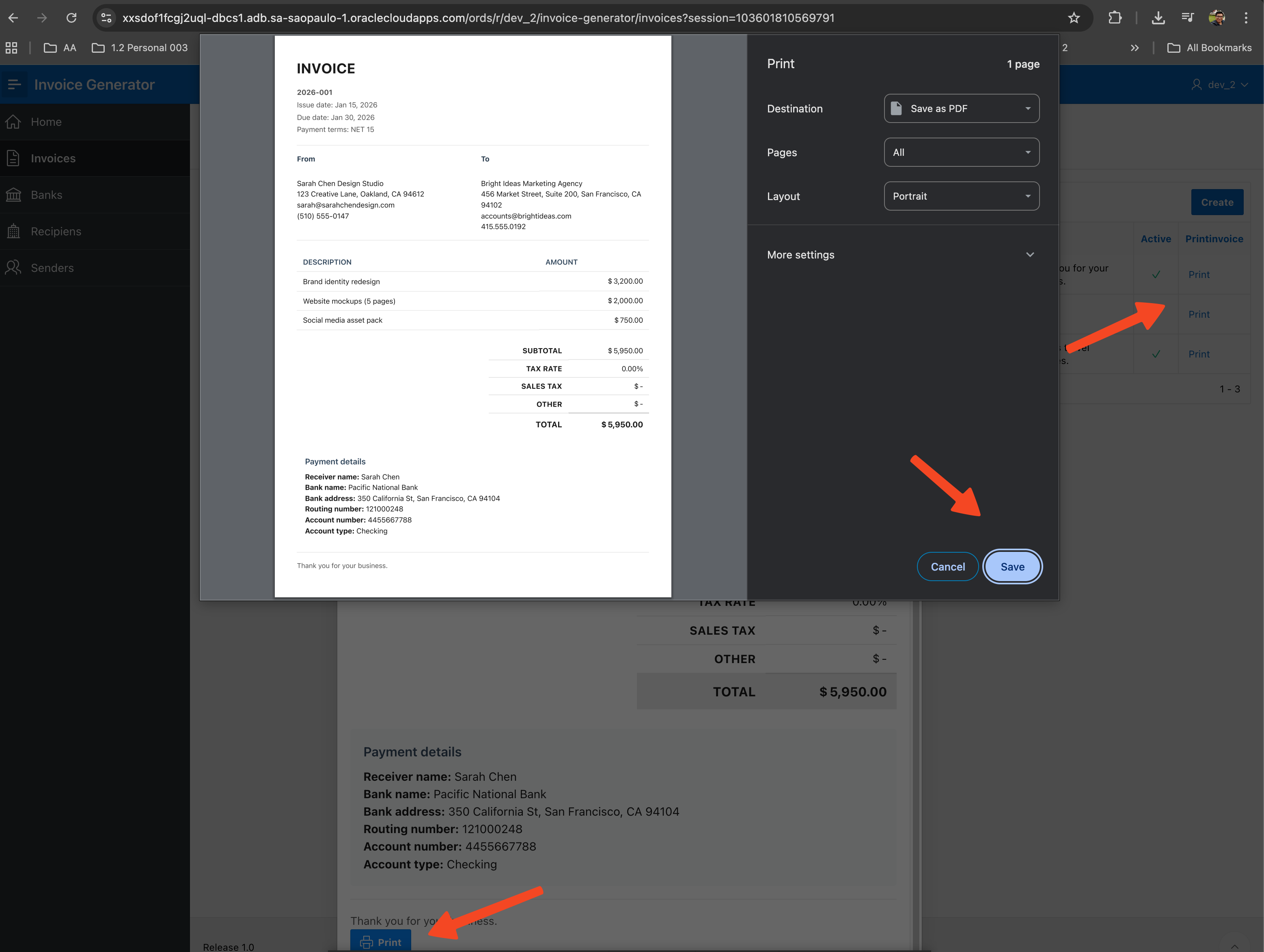
Print — open a modal preview and click Print. The browser handles the rest.
The page flow
The app has five pages with a straightforward flow:
Invoices list (100) → Create/Edit Invoice (110) → Add Line (115, modal)
                                                 → Print (120, modal)
The invoices list is your home base — all invoices in one Interactive Report:
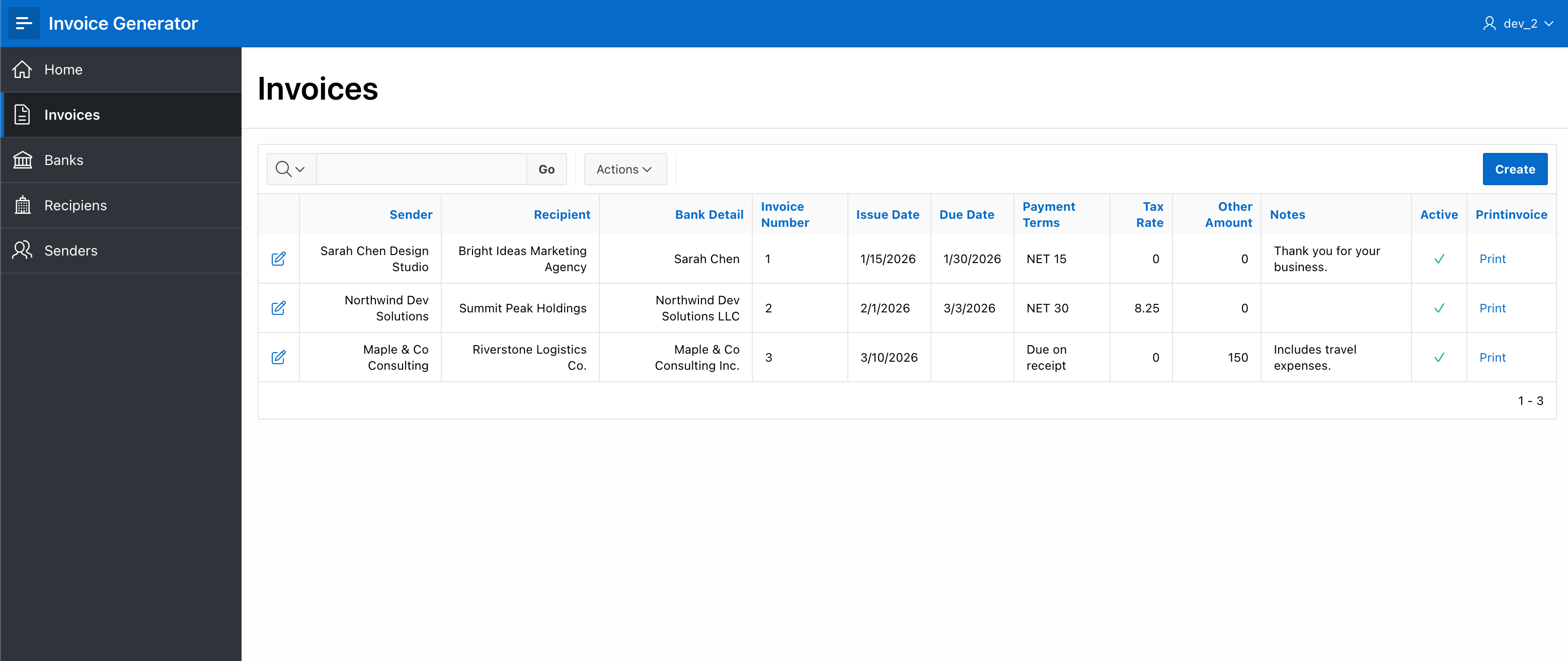
Click any row to open the invoice form. The header fields and the service lines live on the same page, so you see everything at a glance:
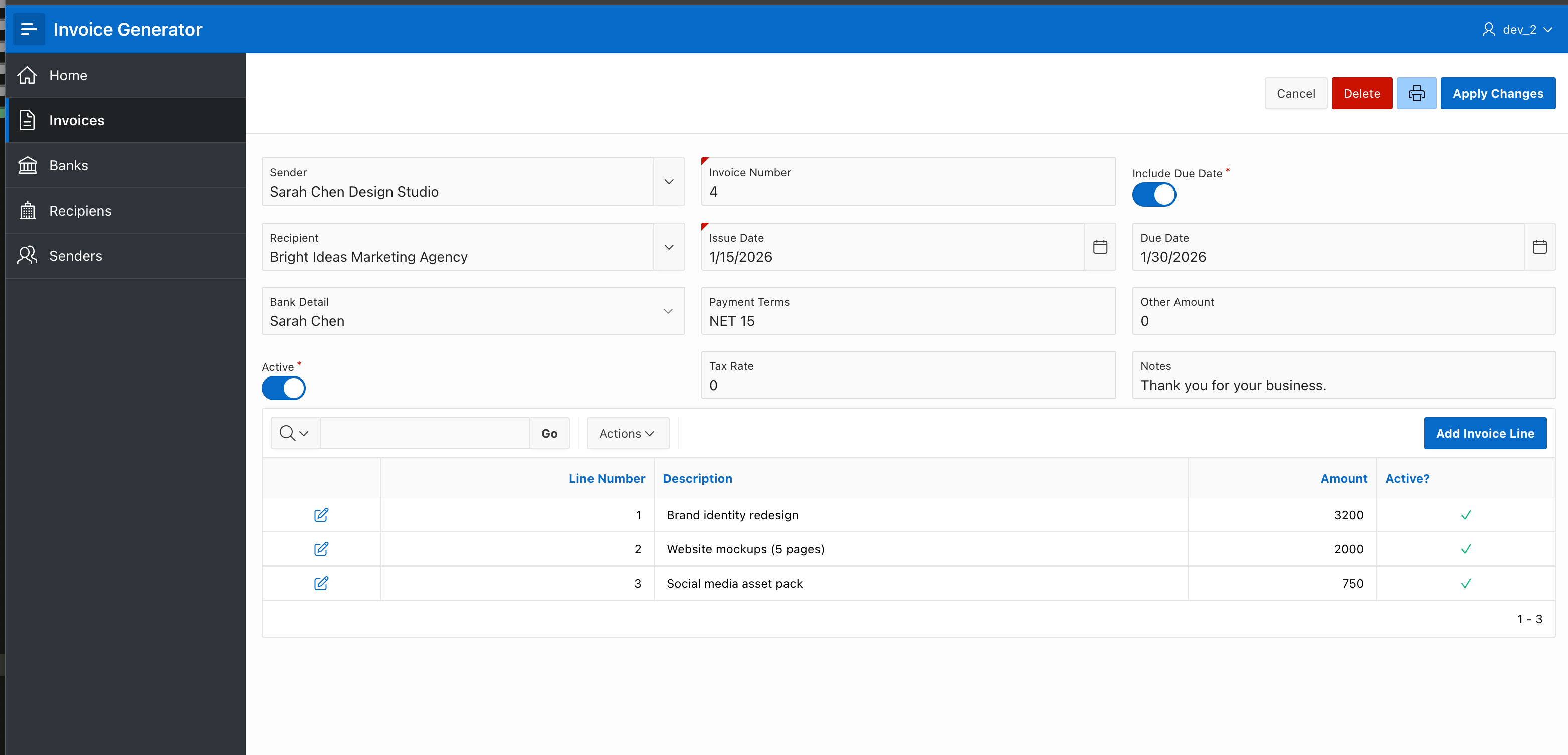
From here you can add or edit lines (opens a modal), or hit the print icon to preview and print:
Database design
Five tables, each with a clear responsibility:
invg_businesses ──┐
                  ├──► invg_invoices ◄── invg_clients
invg_bank_details ┘          │
                             │
                    invg_invoice_lines
invg_businesses, invg_clients, and invg_bank_details are lookup tables. invg_invoices is the invoice header (references the three lookups by FK, plus dates, terms, tax, notes). invg_invoice_lines holds the service lines.
All tables follow the same conventions: identity primary keys, audit columns populated via compound triggers, soft delete with active_yn, and char semantics on all varchar2 columns.
The PL/SQL API
All business logic lives in one package: invg_invoice_api (spec). It handles soft delete, invoice number generation (YYYY-NNN format), and the HTML rendering.
The key function is render_invoice_html: it fetches the invoice with all its joins (client, business, bank), loops over the service lines, computes the totals, and returns a complete HTML fragment inside a clob. Sections like bank details and notes are conditionally included only when present. All user data is escaped with apex_escape.html.
Insert and update operations use APEX's native Automatic Row Processing — no custom DML needed.
Deployment
The repository includes a release/_release.sql script that runs everything in the correct order — views, packages, triggers, seed data, and the APEX application import:
cd release
sqlcl user/pass@db @_release.sql
Log in to APEX and your invoicing app is ready.
Why use this
Simple — the whole point is reducing friction. A few clicks to create an invoice, one click to print or save as PDF.
Self-contained — runs entirely inside Oracle APEX. No external services, no integrations to maintain.
Yours to extend — add a logo, change colors, add currency support, status workflows (Draft/Sent/Paid), email delivery via
apex_mail. The codebase is small and readable.Open source — fork it, adapt it, make it yours.
Get the code
- Full application: OracleApex-Invoice-Generator
Clone, run the release script, and go send that invoice.
#oracle-apex #apex #apexworld #apex-tips #oracle #orclapex #invoicing #plsql #open-source