Environment Banner is a Dynamic Action plugin for Oracle APEX that displays a visible label and color on every page so users always know which environment they are working in—DEV, TEST, PROD, or any custom name you define.
It requires zero custom code: import the plugin, configure a few attributes, and the banner is live. You can choose from several visual styles—top strip, left rail, header badge, or tinted Universal Theme navbar—and pick between Quick mode (select an environment and go) or Custom mode (bind your own items for full control across deployments).
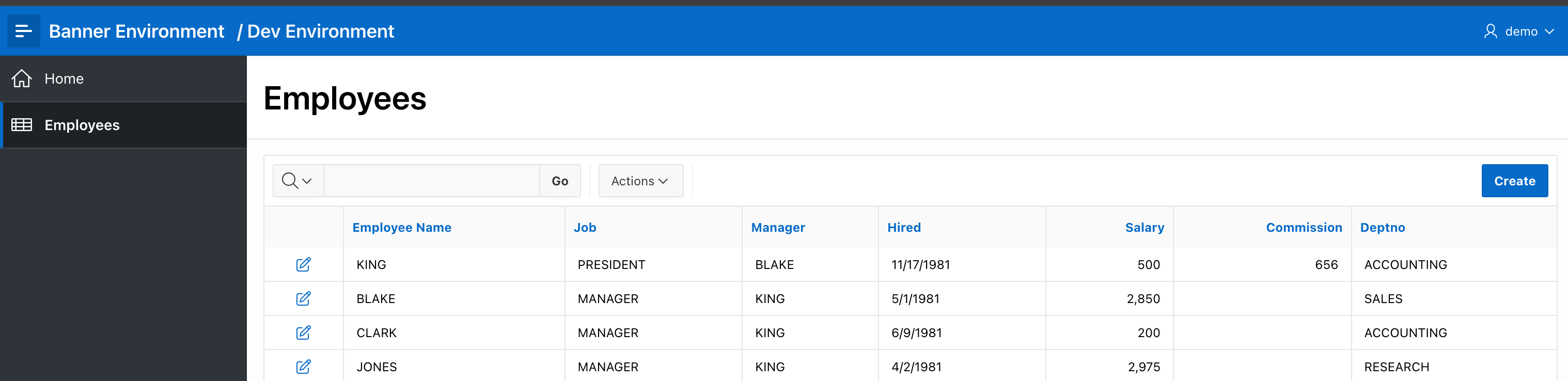
Example: classic top strip (default style).

Configuration
After importing the plugin into your application, create the Dynamic Action on Page 0 (Global Page) so the banner appears on every page automatically. Set the event to Page Load, the action type to Environment Banner, and configure the attributes below.
Quick setup
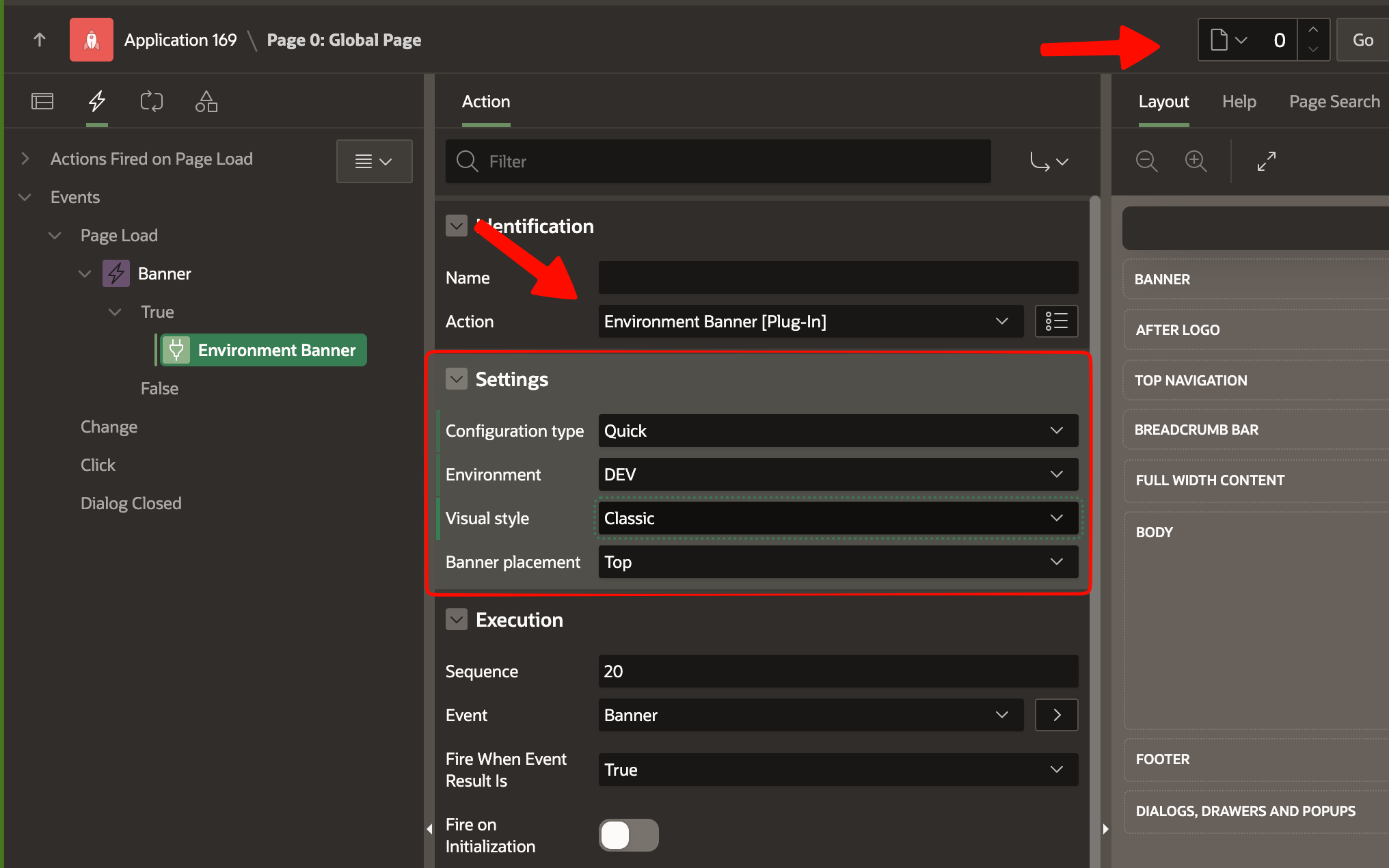
The fastest way to get started. Set Configuration type → Quick setup, then choose an Environment: DEV, TEST, or PROD. The plugin applies a built-in label and color automatically—no items to wire.
Optionally pick a Visual style and, for strip styles, a Banner placement (Top or Left).
⚠️ Deploy warning: Quick setup hardcodes the environment value inside the application. If you export this app and deploy it to TEST or PROD, the banner will still show whatever you originally selected (e.g., DEV). For multi-environment deployments, use Custom setup instead.
Custom setup (recommended)
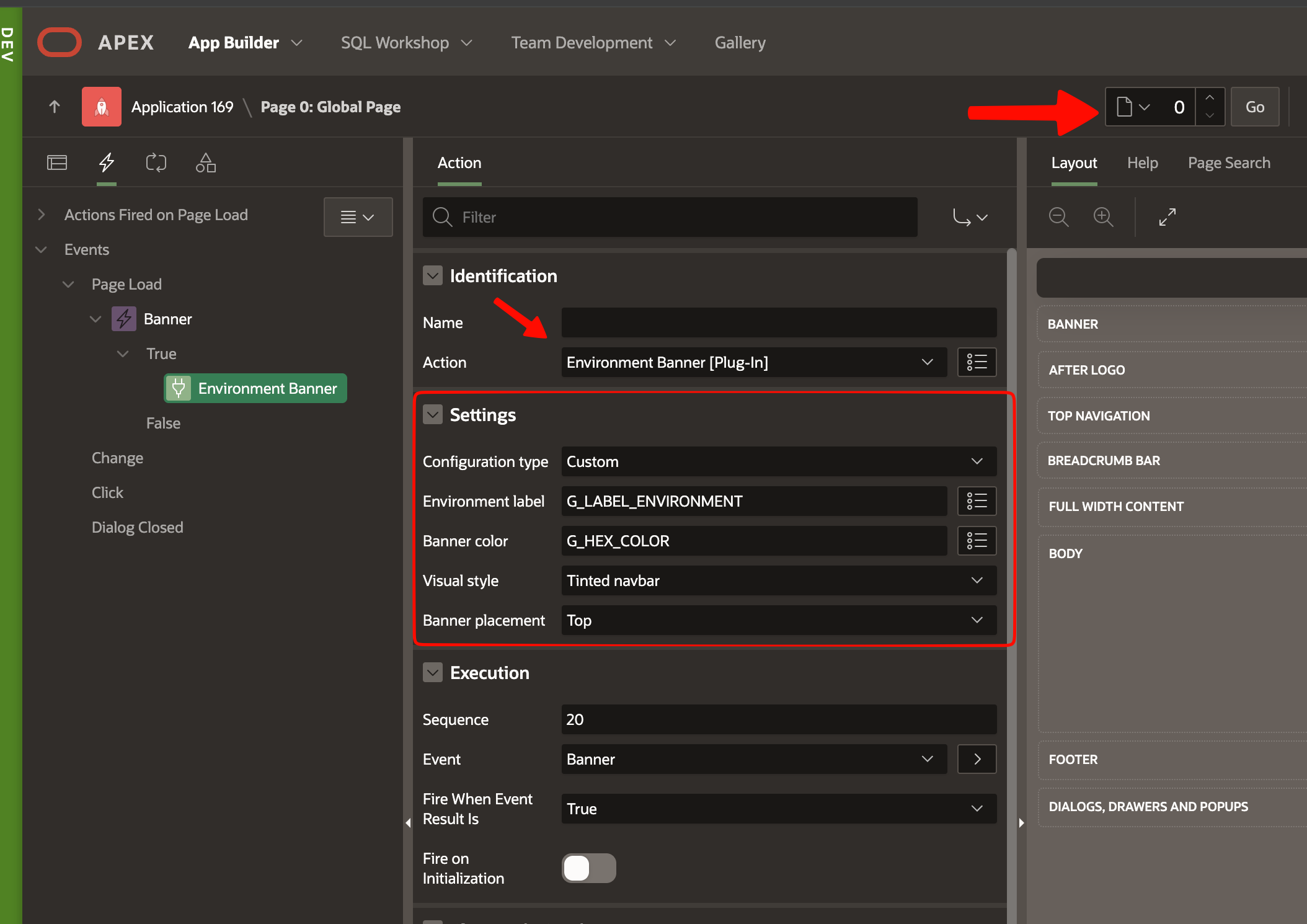
For full control—and for apps that are deployed across multiple environments—set Configuration type → Custom setup. The plugin exposes two item-name attributes:
| Attribute | What to enter | Example value at runtime |
|---|---|---|
| Environment label | Name of the item that holds the text | UAT — Region 2 |
| Banner color | Name of the item that holds the color | #CFA11A |
The banner reads the item's session value at render time, so the label and color adapt to each environment without touching the application export.
Application Items + global process (best practice)
The recommended approach is to use Application Items with a global initialization process. This way you define the banner values once and they apply everywhere:
Create two Application Items under Shared Components → Application Items:
G_ENV_BANNER_LABEL— holds the environment name (e.g.,DEV,TEST,PROD).G_ENV_BANNER_COLOR— holds the banner color (e.g.,#D32F2Ffor PROD,#F9A825for TEST).
Create a global Application Process (e.g., Initialize Environment Banner) with Process Point = New Session so it runs only once per session. This process reads the environment from your configuration (a table, a context, an
SYS_CONTEXTcall, etc.) and sets bothG_items viaapex_util.set_session_state.In the plugin attributes, set Environment label to
G_ENV_BANNER_LABELand Banner color toG_ENV_BANNER_COLOR.
With this setup, the same application export works in every environment—the global process loads the correct values at session start, and the banner reflects them automatically.
Quick vs Custom at a glance
| Mode | Configuration type | What you set |
|---|---|---|
| Quick | QUICK |
Environment only (built-in label + color) |
| Custom | CUSTOM |
Environment label + Banner color (item names—page or application items) |
Additional attributes
- Visual style — strip, corporate, badge, tinted navbar, etc.
- Banner placement (strip styles only) — Top or Left.
- Server-side condition — e.g., fire only on non-production builds, or skip modals/drawers to avoid stacking banners.
Visual styles
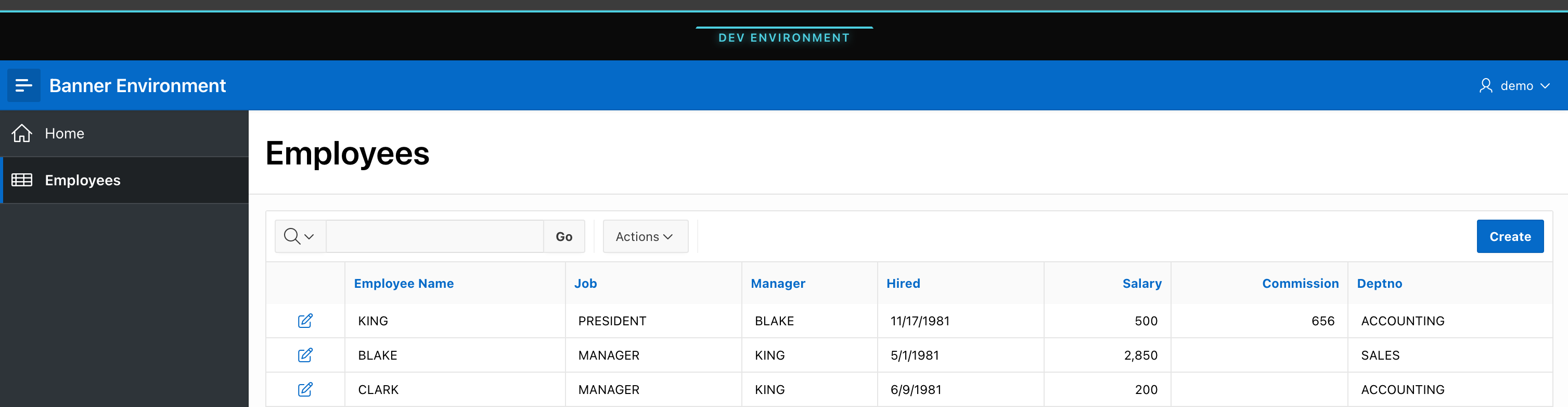
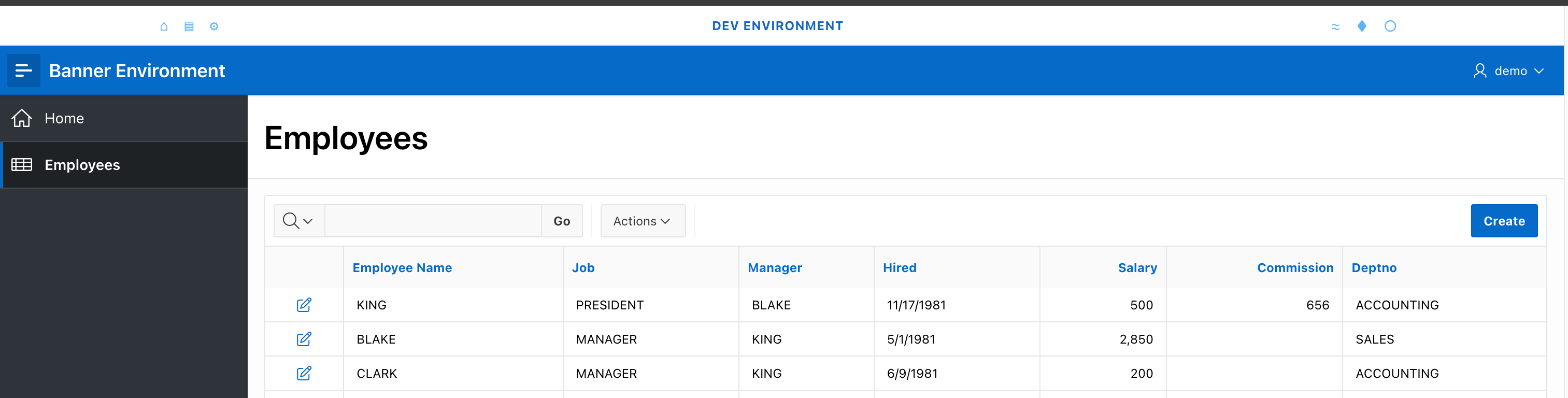
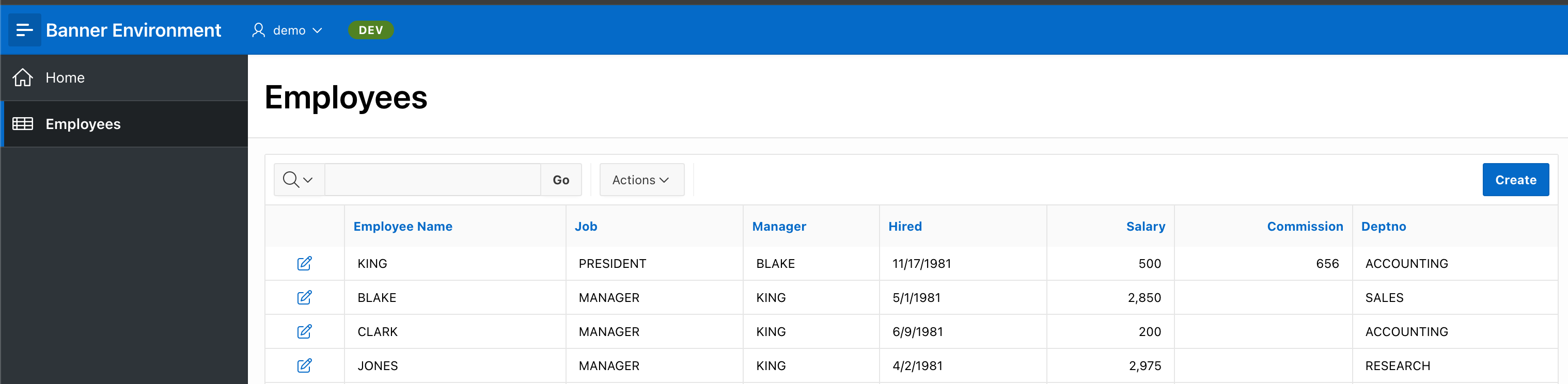
The plugin includes 8 visual styles to match different application layouts. Select the one that fits your design in the Visual style attribute.
1 — Classic strip
2 — Corporate strip
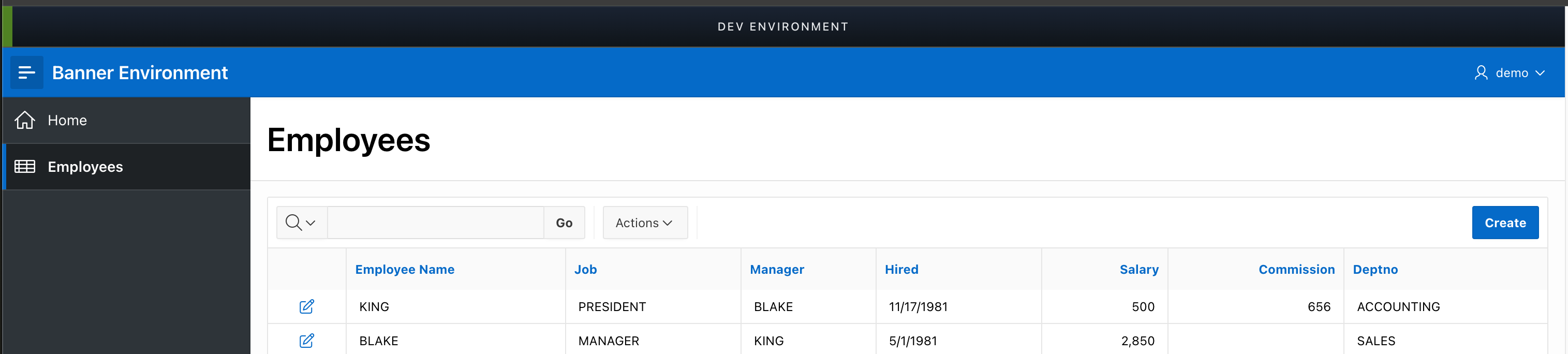
3 — Green accent strip
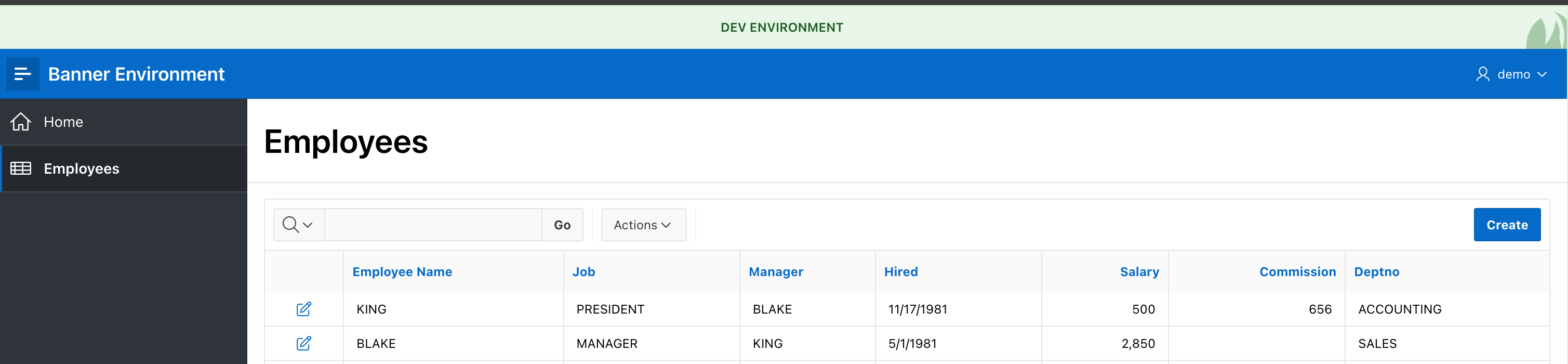
4 — Light strip
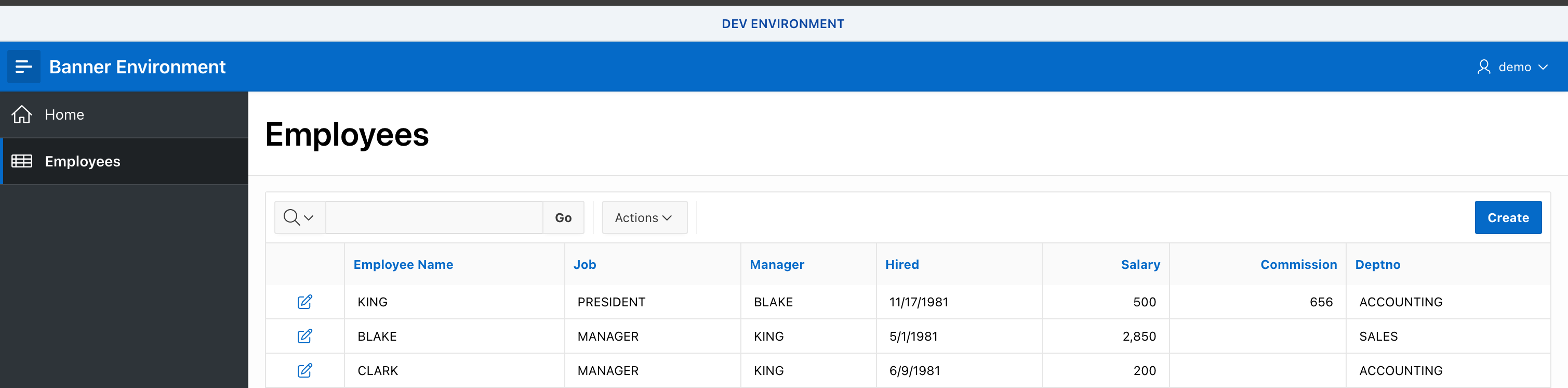
5 — Futuristic strip
6 — Light gradient strip
7 — Header badge
8 — Tinted navbar
Responsive
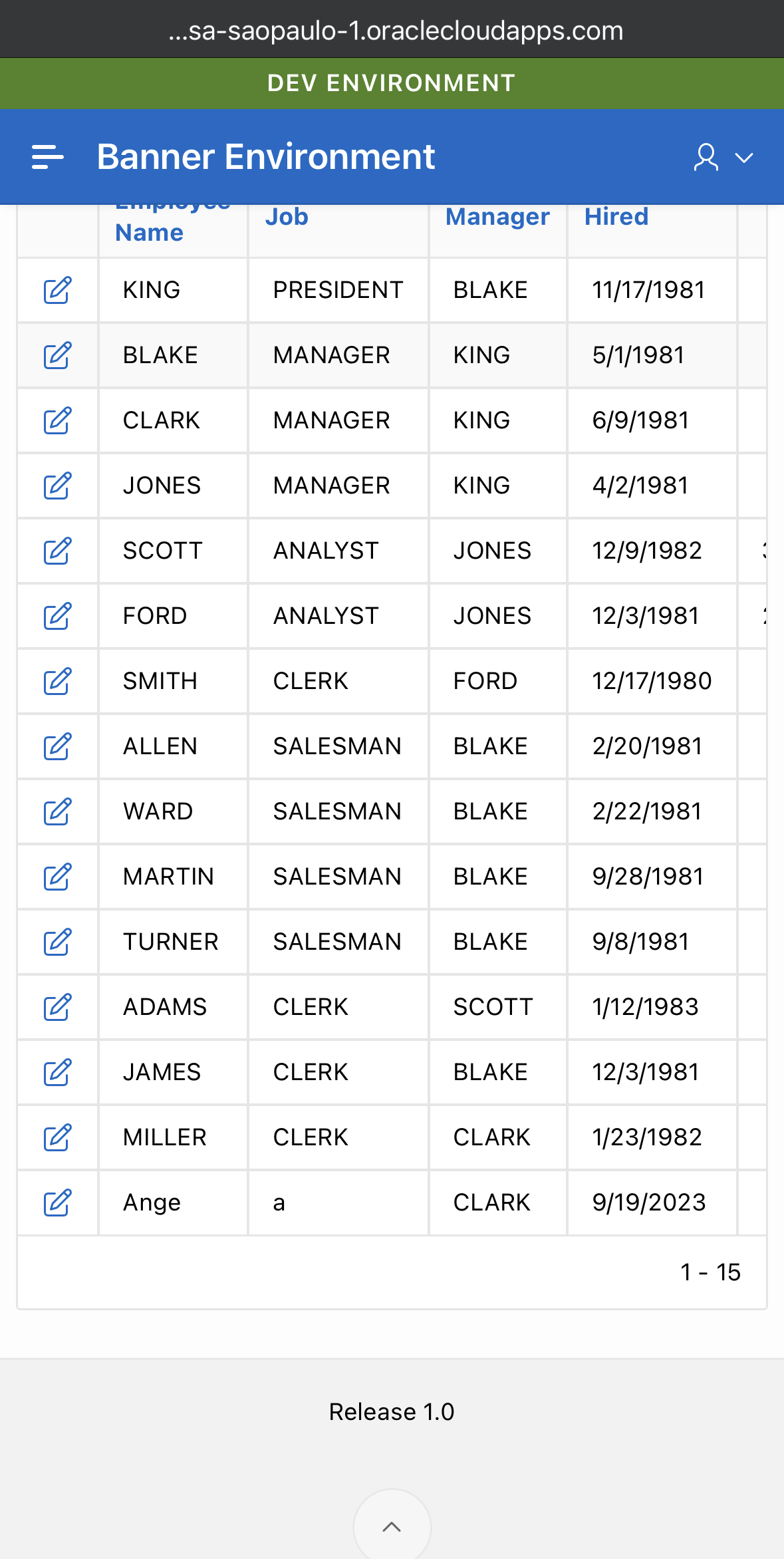
All styles adapt to narrow viewports:
Source
All files are available in the repository: post_2026/7_plugin_banner.
| File | Description |
|---|---|
dynamic_action_plugin_environment_banner.sql |
Full plugin import script (APEX 24.2) |
plugin_code.sql |
PL/SQL render & AJAX callback logic |
css/banner.css |
Stylesheet for all visual styles |
js/banner.js |
Client-side JavaScript |
The import script was exported from APEX 24.2. If you are on a different version, you can create the plugin manually using the PL/SQL, CSS, and JS files above—they are version-independent.
Comments
Join the discussionNo comments yet. Be the first to comment.
